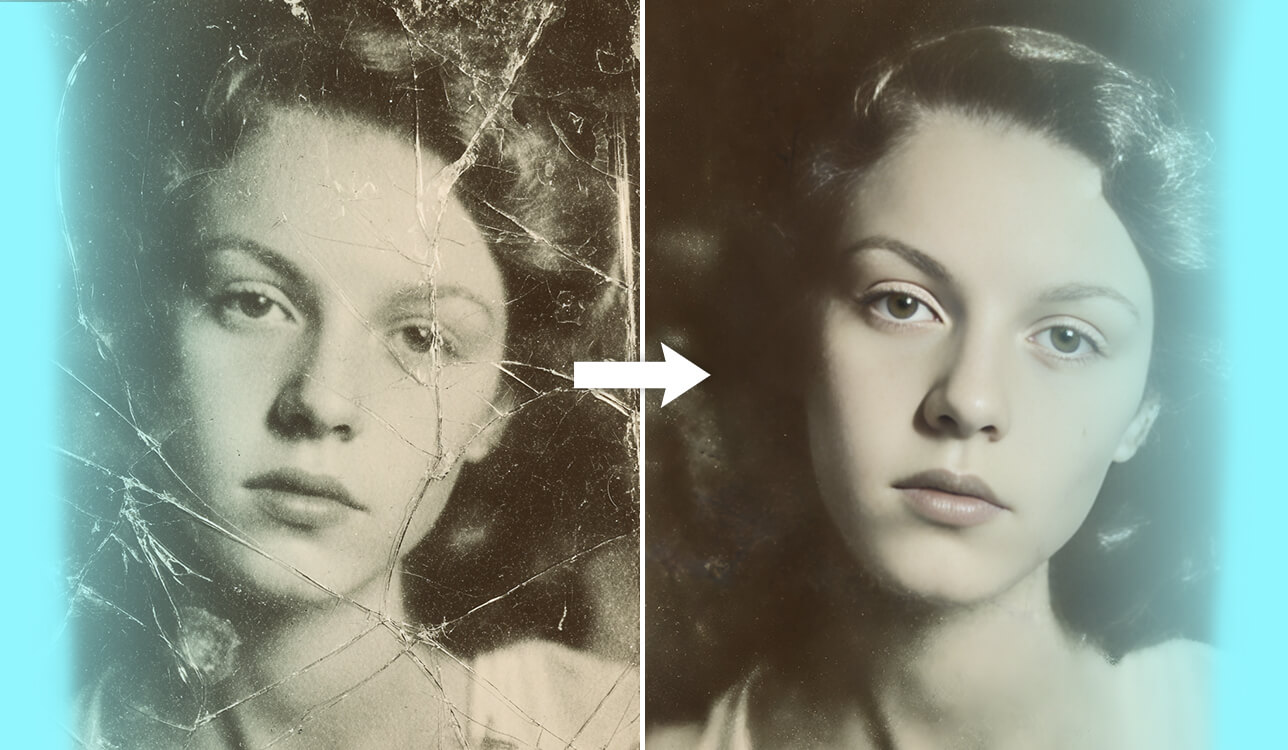
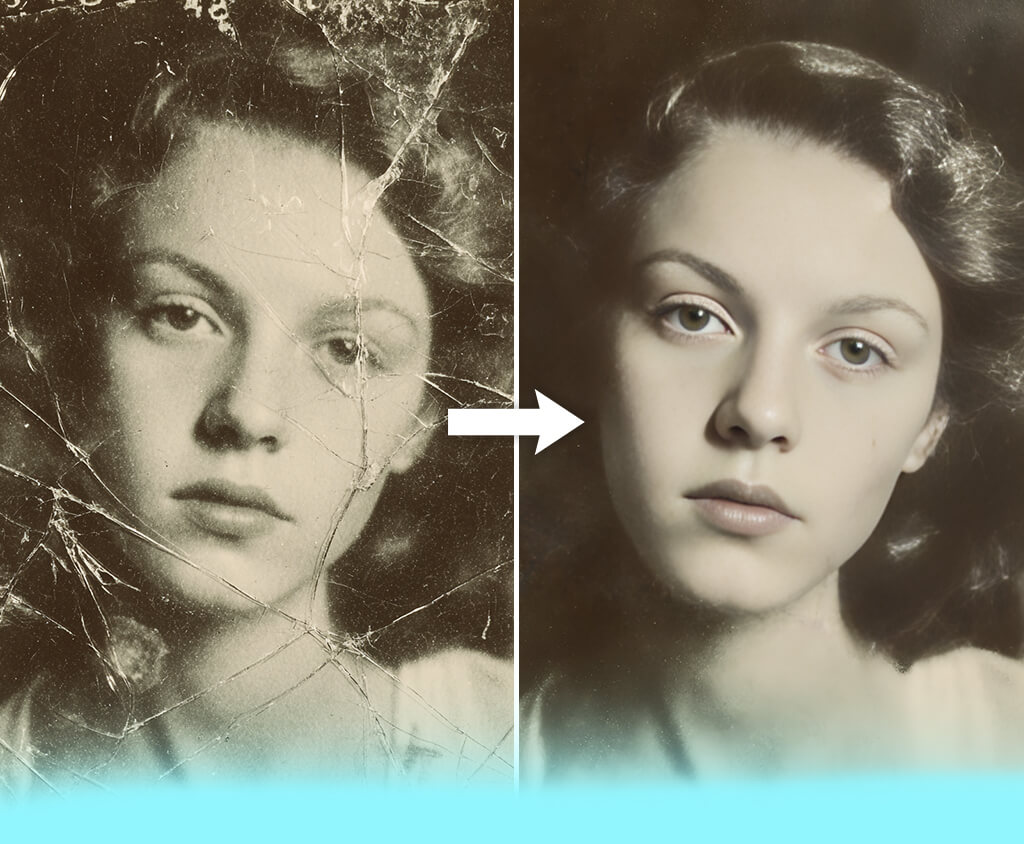
At FixThePhoto, we’ve recovered thousands of scanned pictures, several of which are over a century old. However, not all pictures need to be manually processed, as there are a lot of AI photo restoration tools available today.
They are good for situations when you just need a fast fix, and you’ll be happy with the result as long as it looks natural. Whether you’re dealing with a torn wedding picture, a childhood photo with washed-out colors, or a weathered ID, all of these photographs have the right to be preserved.
Therefore, I’ve tried to find the best AI photo restoration tool that would let you get the desired outcome, either for free or for a modest sum. I wanted to go further than basic filters, prioritizing applications that excel at handling damaged, old, or scanned pictures.
I tested 20+ AI photo restoration tools with the same two photos:
After the thorough testing, the following tools make my final list:
A peculiarity that became evident to me when I was trying different AI photo restoration tools is that they don’t simply fix issues – they can create different elements. As I was enhancing a faded picture of two kids at a dining room table, I noticed that the AI removed a toy from the table and instead added a fruit bowl that wasn’t in the original image.
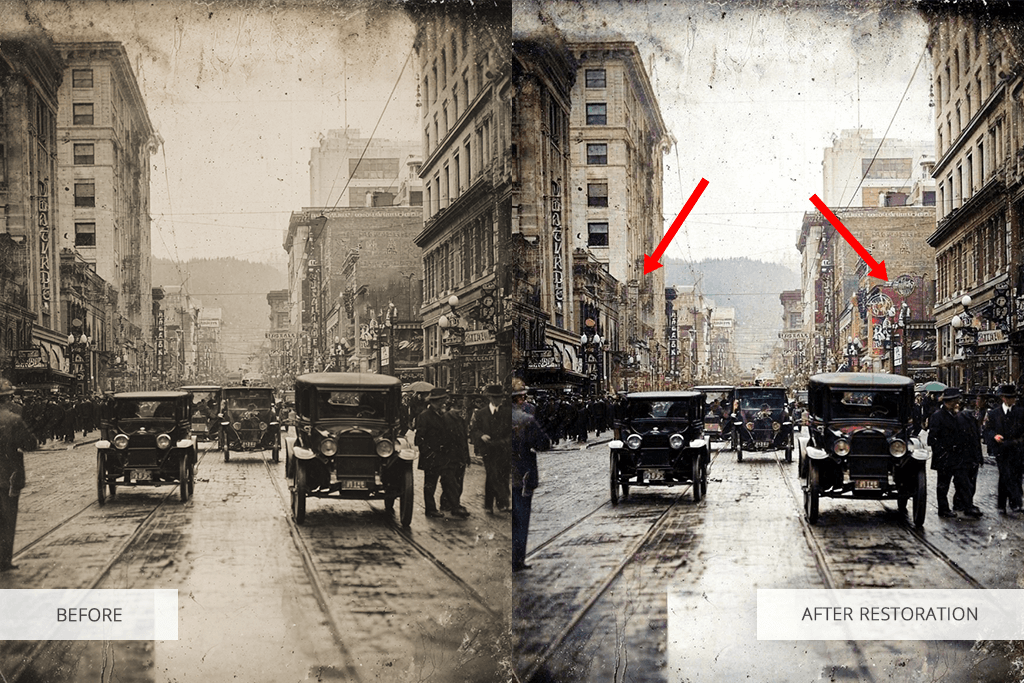
This kind of “creativity” isn’t an outlier. AI lacks human comprehension when looking at content, meaning it simply predicts what should be there based on the images it was trained on.
Hence, it frequently fills gaps with items, shadows, and sometimes facial features that have no correlation with reality. I even experienced the AI tool adding earrings to a woman in a weathered passport picture, even though she wasn’t wearing jewelry in the original.
The issue is more noticeable if you’re restoring pictures for museums, archives, or family history books. It would be a nightmare if the AI altered the military insignia, changed the wording on a protest sign, or transformed the clothing styles to modernize them, since you would be preserving a false reality.
Hence, why we at the FixThePhoto team remind our customers: to employ AI when doing previews or cleanup, but don’t trust it blindly. Accurate photo preservation still requires the attention to detail of a human.
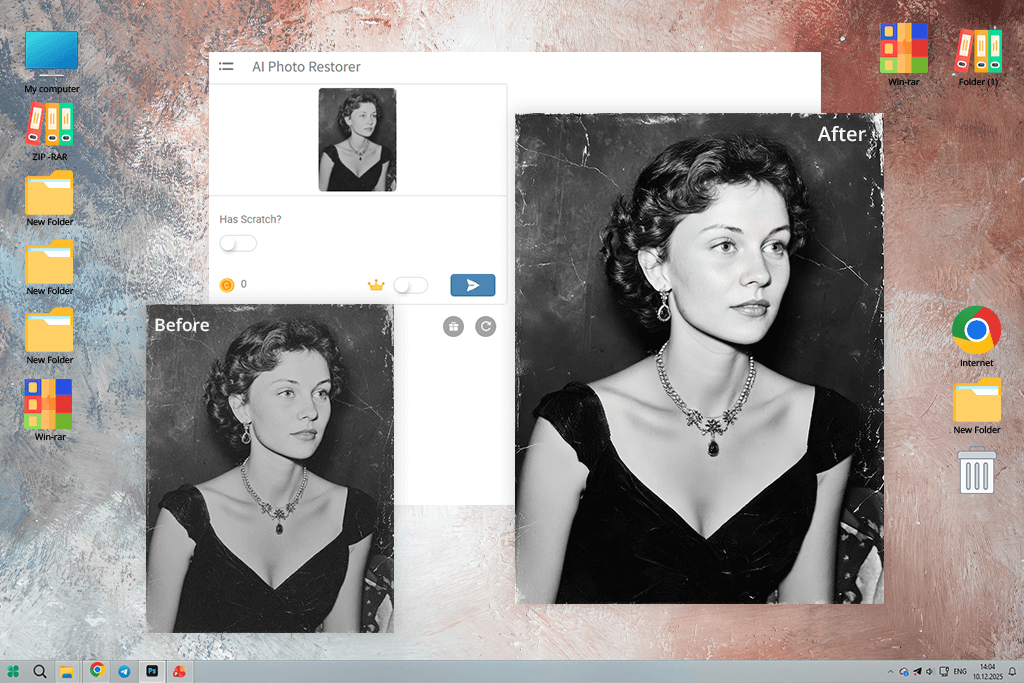
I imported the 1962 black-and-white photo with noticeable creases and a missing corner. Hotpot AI got rid of the fold lines professionally and added a tasteful blur to the damaged part of the picture without making it obvious. The facial features are still detailed without distorting the original image.
The 1985 colored picture suffered from faded areas and water damage. Hotpot adjusted the shadows and recovered some of the colors. This free AI photo restoration tool failed to completely save the stained areas, but it ensured they blended more organically into the backdrop. For a free web-based platform, the delivered results exceeded my expectations.
Key features:
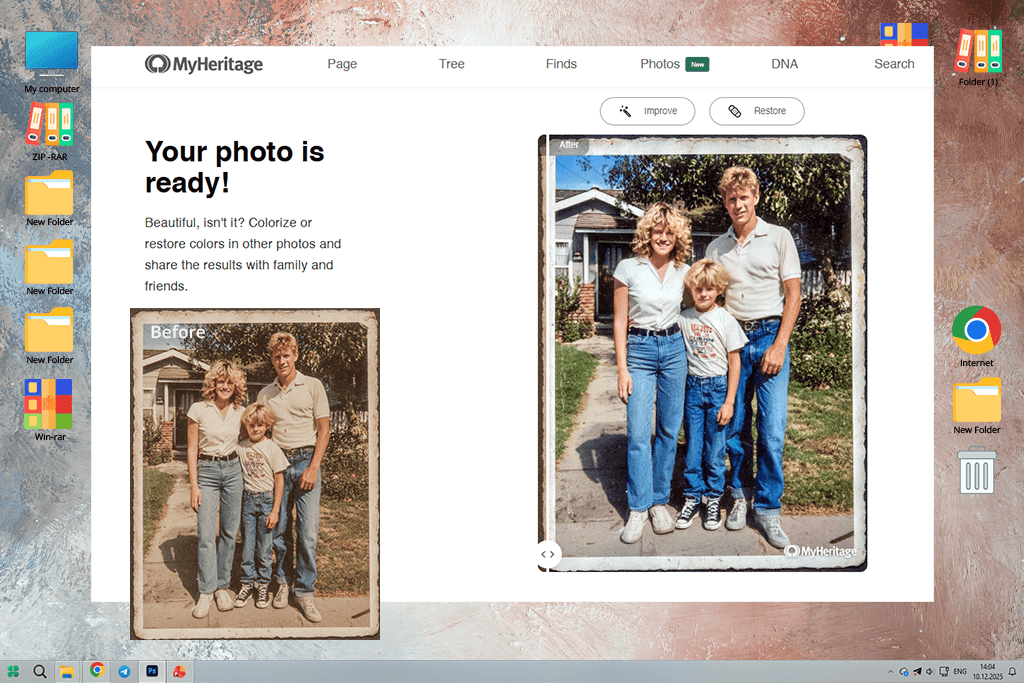
MyHeritage InColor is my go-to AI photo restoration tool when I want to achieve a refined, tasteful result. When processing my image, it sharpened the eyes, softened rough features, and added warm vintage colors.
The face looked livelier without being distorted, and I appreciate that this app didn’t remove signs of aging like skin folds, which is why it’s often listed among the best colorized software.
When handling the 1985 picture, MyHeritage InColor prioritized faces and ignored some of the discolored areas in the backdrop. However, the enhanced faces are a lot clearer and more natural than in the original. The restored photo is a great fit for digital photography albums, particularly if you aren’t keen on fixing all corners in the chase of perfectionism.
Key features:

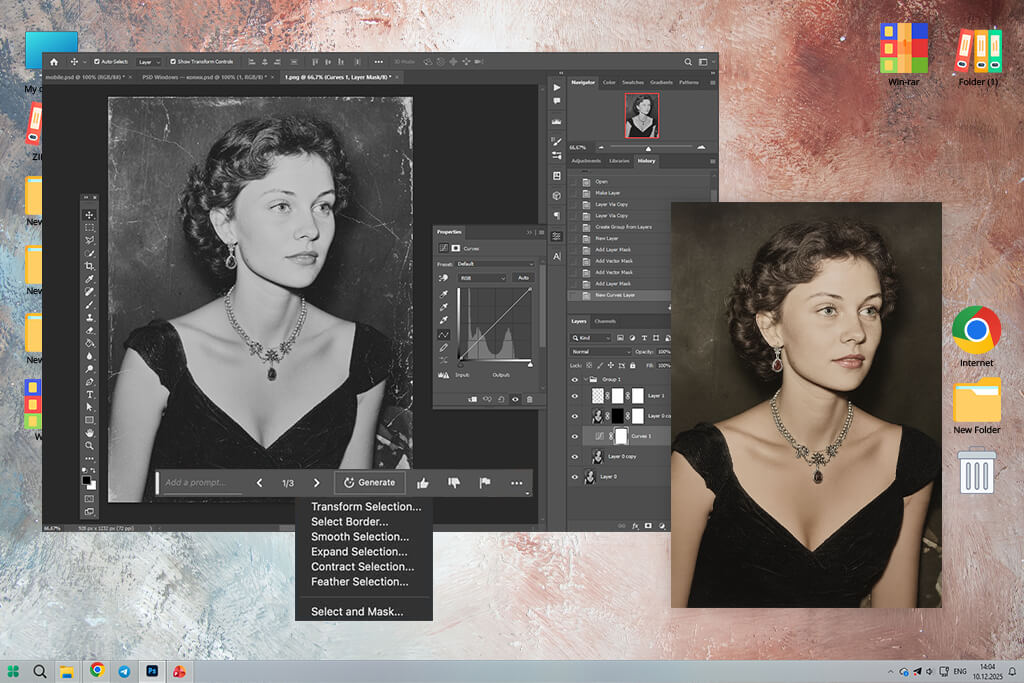
Using Adobe Photoshop as an AI picture restoration tool, I mostly used Neural Filters, AI sharpening, and intelligent retouching tools to recover old, faded, and damaged photos. The AI does an excellent job of performing the hard work — boosting clarity, restoring washed-out areas, and recovering details — while maintaining a natural appearance. What I enjoy best is that the AI advancements do not limit you to a single solution and can be modified manually for more accuracy.
Photoshop is hardly a one-click solution, but that is precisely why the results appear more professional. It provides complete control over textures, tones, and minor defects, which is essential for effective restorations.
Key features:
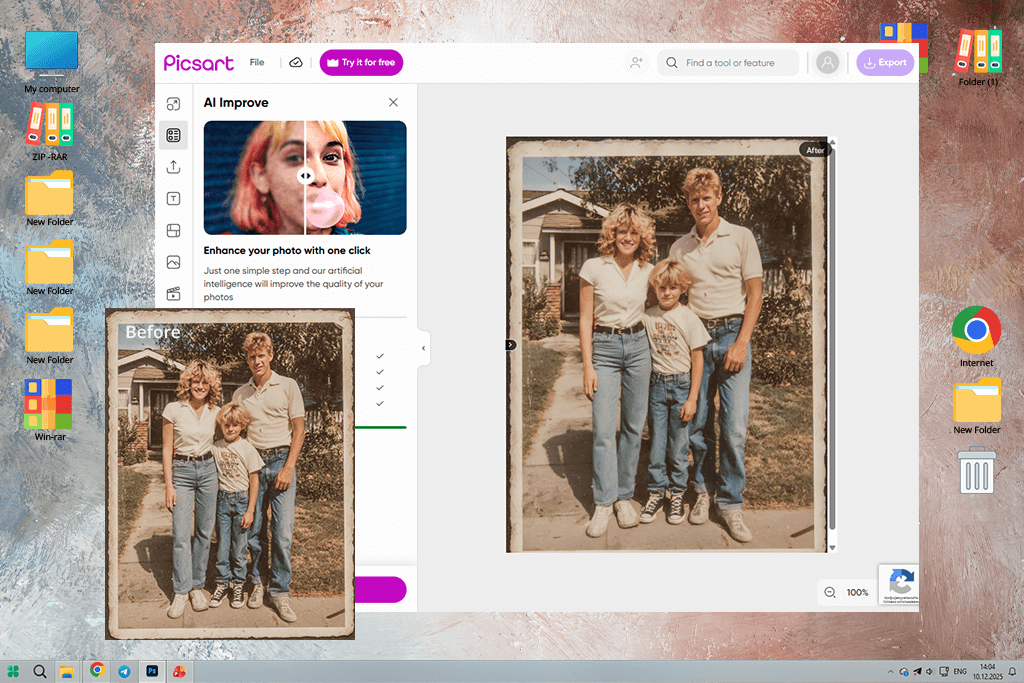
If you like to make manual adjustments when restoring photos, Picsart is the best AI photo restoration tool on the market. I applied the AI Enhance feature to the faded picture to add definition to the face and upper body, then moved the sharpness slider to ensure the face still looked natural and not over-edited.
For the second image, the AI increased the exposure to highlight details in clothing and faces, but that made the skin look orange. Thankfully, I was able to fix that manually. If you like to oversee the editing process instead of relying completely on AI, Picsart online should be near the top of your list.
Key features:
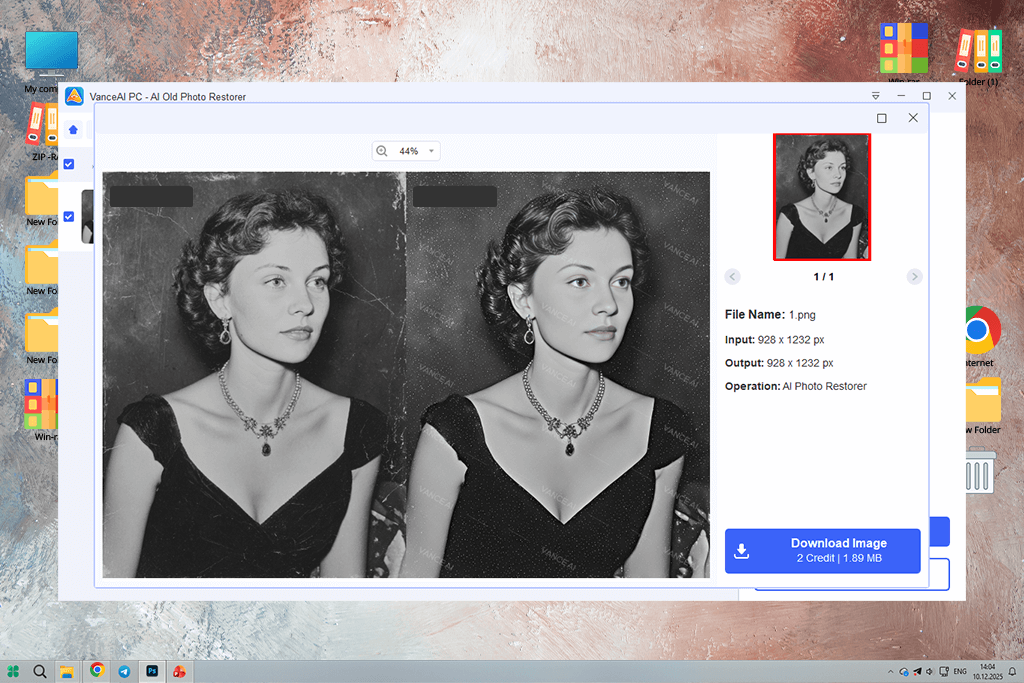
I used VanceAI to fix the tears and missing corners on a portrait photo. This tool got rid of the folds but also recovered the lost part while ensuring it matched the rest of the picture. The background was also enhanced without feeling over-edited.
Afterward, I processed a picture with multiple discolored faces. VanceAI managed to recover the original hues, but it applied too much smoothing, making the subjects look overly polished. That said, if your goal is to restore the entire shot or fix noticeable fading or creases, VanceAI is arguably the best AI photo restoration tool available.
This solution is great at producing a clean look without ruining the authenticity of the photo, but making a photo look vintage. It’s one of my go-to tools whenever a picture is badly damaged and needs to be repaired quickly.
Key features:
“If the image ends up looking overly smooth, consider importing a slightly lower-resolution version. This way, the AI does a better job preserving the natural textures in the photo.”

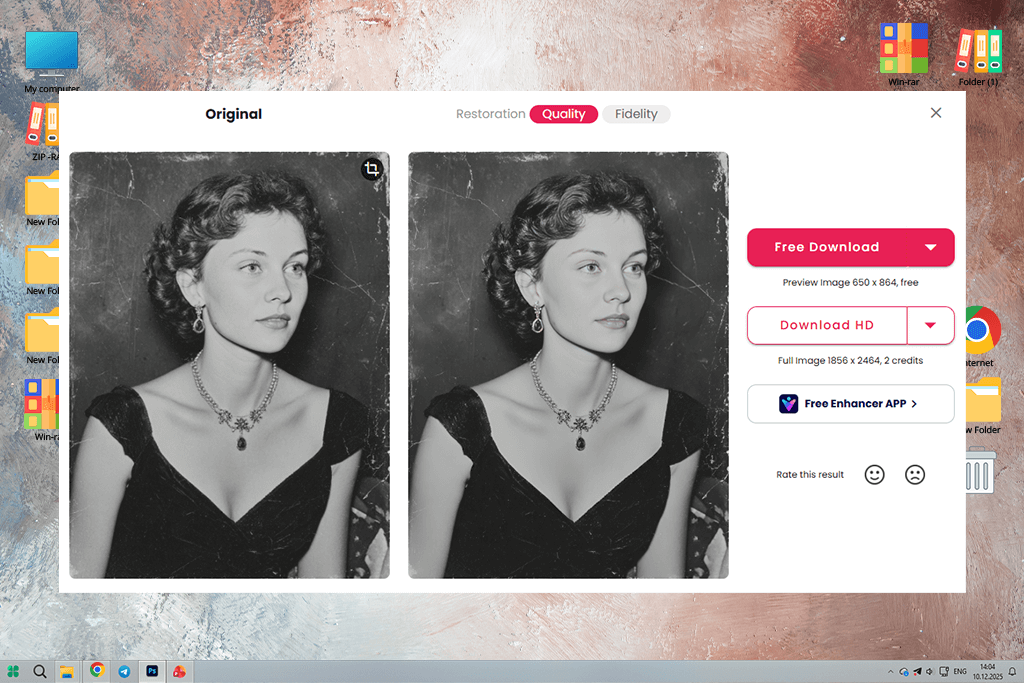
I employed Cutout Pro to enhance a scanned portrait that had overly soft features and lacked contrast. This tool instantly increased the sharpness of the eyes, improved the lighting on the forehead, and made the model’s face more pronounced.
For passport-style pictures or small headshots, this might be the best AI photo restoration tool on the market, particularly if you need to quickly sharpen an image.
Cutout Pro is a great example of a simple yet very efficient solution. It’s not suitable for preparing images for print or repairing heavy damage, but it’s a great option for ID photos, avatars, and thumbnails while also offering terrific speed.
Key features:
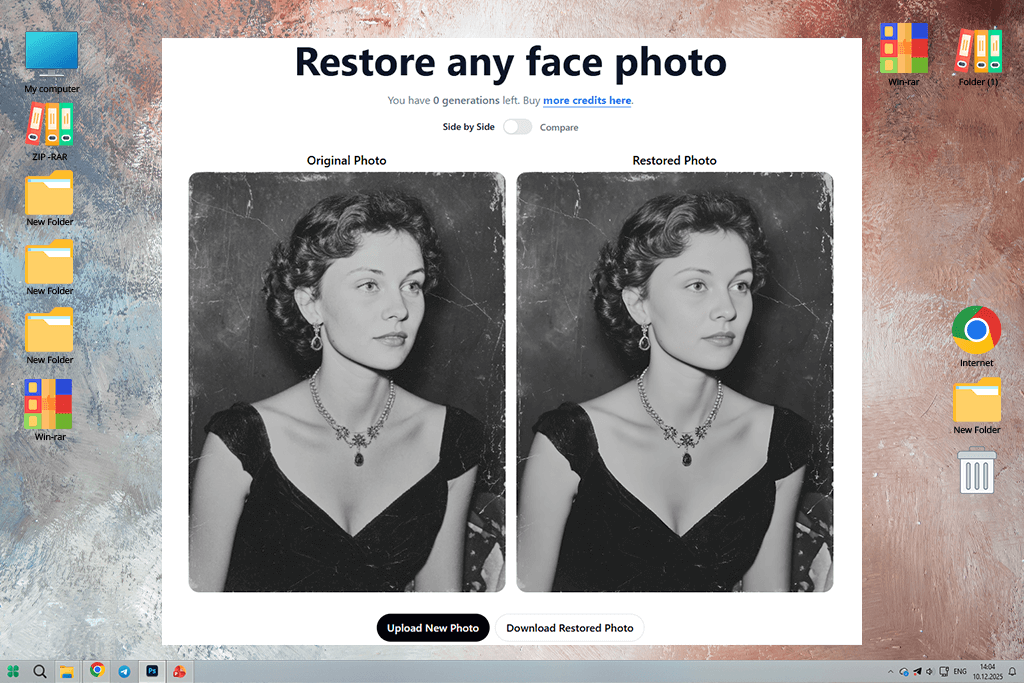
RestorePhotos caught me off guard with its reliability. I imported an old scan that suffered from a bit of blur and dim eyes, and this managed to highlight and sharpen the face without ruining its skin tone. It doesn’t apply filters or colorize the image – it just enhances the existing image with minimal intrusion.
This free AI photo restoration tool doesn’t provide any customization options and isn’t fit for fixing fading, stains, or noise, but it’s a great option for subtle facial enhancements, particularly old profile pictures. If all you need is to improve an existing image, you can’t go wrong with RestorePhotos.
Key features:
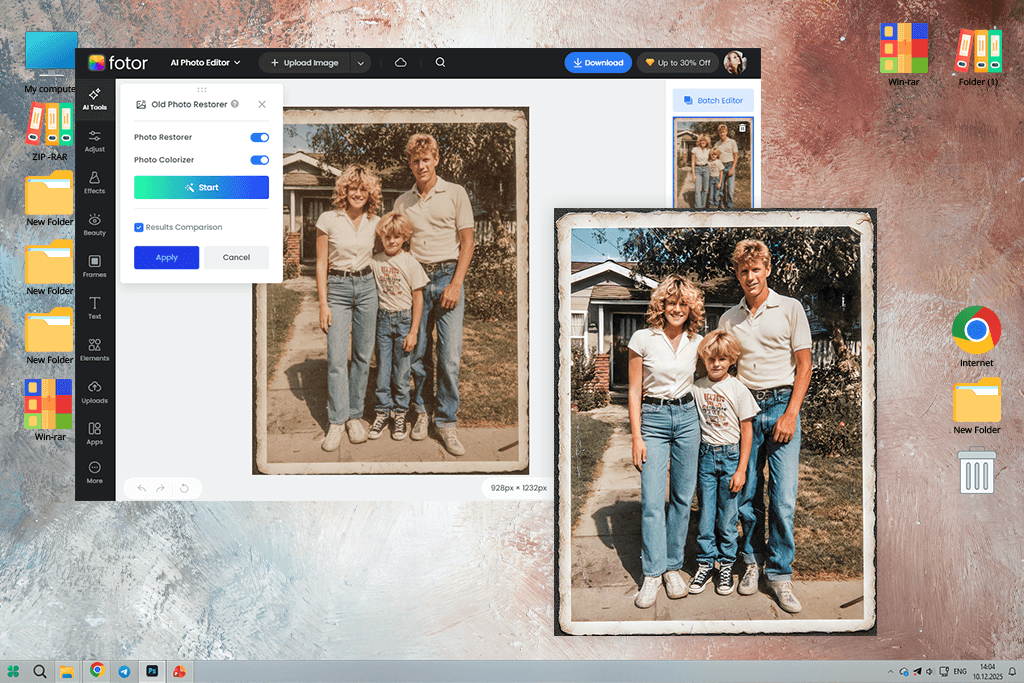
Fotor wasn’t developed for in-depth restoration, but rather for on-the-fly edits. I used its single-click enhancement feature to process a faded picture, and this solution got rid of the scratches, increased brightness, and evened out the skin tones. The result resembles the process of applying light digital makeup, which is particularly great if you plan to post the photo on social media.
Even though it’s far from the best AI photo restoration tool for dealing with structural damage, it’s great at fixing washed-out tones and enhancing visual clarity. Fotor does apply a subtle halo around the face, which makes it unfit for print purists, but the quality is definitely high enough for digital projects. If you’re not chasing perfection, then this tool should satisfy most of your needs.
Key features:
“For small scratches and faded colors, Fotor provides optimal results if you tweak the brightness by hand after letting the AI perform the restoration process.”

When choosing the best AI photo restoration tools, we tried fixing pictures with real damage – not simply suffering from blur or poor lighting. At FixThePhoto, we tested each app with two scanned images with common restoration problems: one suffered from creases and a torn corner, while the second one had severe fading and water stains.
Our task was to determine which options could fix this type of problem without losing the authenticity of the photo.
We evaluated the efficiency of every tool when it comes to folds, stains, and scratch removal. We disqualified applications that made the skin look plastic or overly sharp. Some more drastic AI tools even altered the facial features or swapped the background, which is also unacceptable.
We paid attention to what we can control: Does the tool let us customize the effect, or was it completely automatic? Can it restore both faces and backgrounds? Some of the options only fixed the subjects but didn’t touch anything else.
Overall, we picked AI photo restoration tools that offer a balance between restoration and realism. That is the level of quality that you need to fix images for clients or preserve your own special memories.





![Remove Date Stamp from Photo Online [FREE]](http://fixthephoto.com/blog/images/gallery/news_main__preview_27825.png)


![DnD Character Art Creator Online [FREE]](http://fixthephoto.com/blog/images/gallery/news_main__preview_25928.png)

















