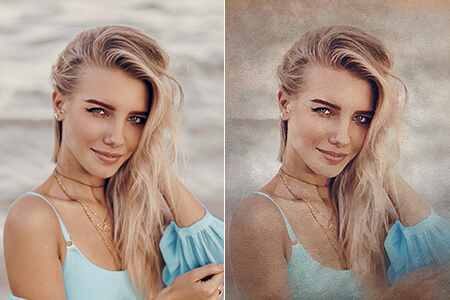
Using the advanced AI-powered tools available in the Remini online editor, users can enhance their pictures, emphasize important details, eliminate blur, and improve the quality of low-resolution photos and videos. This editor facilitates upscaling pics and producing high-quality content. Its pro-level photo restoration tools enable users to highlight details, sharpen facial features, tweak colors, and restore damaged areas.
Here, you will find a variety of photo enhancers which will help you improve the quality of your photos online. Using them, you can edit faces and backgrounds, remove noise in your photos, and enhance videos. You can utilize Remini online free of charge to save your cherished memories or produce pro-level visuals without wasting time.
What can be done if one part of my image is heavily damaged?
If there are any visible defects in one part of your photo, try cut out this area from an enlarged image and edit it separately. After enhancing it, you can use the in-built photo editing tool available in Remini online version to merge the improved detail with the source photo.
How do I upload new pictures to generate AI pics?
If you want to create more pictures using AI-driven Remini online free editing tools, make sure to delete the previous AI profile. Whenever you want to generate a new series of pics, you will be automatically asked to choose new images to train the AI model to your liking.
What makes Remini online editor useful?
Remini is deservedly called the best app to enhance photo quality. Its key difference from regular photo editors lies in the fact that it allows users to restore vintage or low-resolution photos with visible blur and improve facial details to produce realistic results. Due to its streamlined functionality and impressive photo restoration tools, it’s an invaluable solution for those who want to preserve their cherished memories.
Which styles can I choose to create AI photos?
If you opt for a baby style, it will allow you to see how your child could look based on your own pictures. You just need to upload photos of your partner and yourself to generate an image of your baby. Similarly, Wedding style enables you to generate a photo of yourself on your wedding day.
The Curriculum style is suitable for those who need to generate professional-looking headshots for their CVs. The feature that enables users to create an age progression video is still in the trial stage. It may take a while until it gets released.



![Asymmetrical Balance in Photography [Examples & Tips]](http://fixthephoto.com/blog/images/gallery/news_main__preview_27891.jpg)


![Add People to Photos Online [FREE]](http://fixthephoto.com/blog/images/gallery/news_main__preview_27786.png)